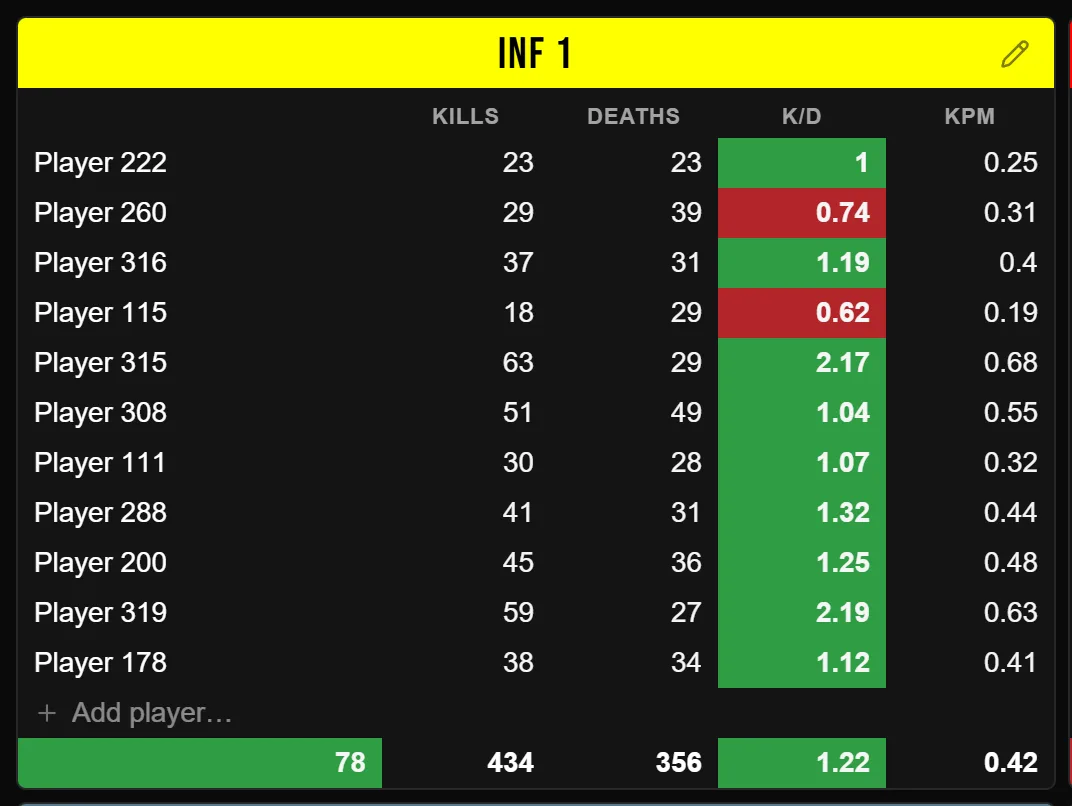
Your clan's Hell Let Loose scoreboard, after the match.
Drop in the stats file from your server, or paste a link to the match on a CRCON stats page. Rosterstats turns a Hell Let Loose match into a board you lay out by squad, style and export as an image for Discord. Save the match and it adds to stats on your own players. Your stats and matches aren't public unless you share a link.
Three ways bring your players in.
- The stats file from your server (.csv or .txt). It has no in-game squads, so you place the players yourself.
- A link to the match on a CRCON stats page. It brings the in-game squads, the result and the timeline.
- A match file (.json). It brings the same things as a link.
A match log (.txt) brings in no players. It adds the kill-by-kill timeline, teamkills included.
A link fills in the squads and the result.
The import window asks which side you played, Allies or Axis. Arrange squads from the game builds a squad for each in-game group. For Hell Let Loose it names tank squads, recon squads and the commander. Every other squad comes in as INF. Or pick Keep my squads, and the squads already on your board stay put. The result is filled in, from 5-0 to 0-5. Capture times and vehicles destroyed come too, when the server recorded them.
Allies or Axis, and kills by type.
Players from a link or a match file carry their side. When a stats file lists weapons but no side, Rosterstats works each player's side out from the weapons. Stats also sorts weapon names into kill types. An MG42 kill counts as Machine gun and a Panzerschreck, Bazooka or PIAT kill as Anti-tank. A name Rosterstats doesn't recognize counts as Infantry.
Stats that follow each player's ID.
A stats file with a Steam64 ID in it is read as Hell Let Loose, and the board switches to that game unless it's on Wardogs. Add your players to the team and each one gets their progression, match by match. Players are matched by Steam64 or EOS ID before name. In a match that came in with IDs, a name change doesn't split their stats once they have an ID for Hell Let Loose. Home shows your win-loss record for the picked game, from every match that has a result.
Questions
- Where do I get the stats for a Hell Let Loose match?
- From CRCON. Download the match's stats file, or copy the link to the match on the server's CRCON stats page. With neither, make a .csv or .txt file with one player per line: name, kills, deaths, separated by commas or tabs. That file doesn't say which game it's from, so pick Hell Let Loose in the top bar first.
- Our stats file has only EOS IDs. Why did the board switch games?
- A file where every ID is an EOS ID is read as Hell Let Loose: Vietnam. Pick Hell Let Loose again in the top bar before you save.
- Does it show captures and vehicles destroyed?
- Only from a link or a match file, and only when the server recorded them. A stats file has neither. Vehicles destroyed come in with the players, so the match has to be imported that way. Capture times can also be added later: paste the link on the saved match's Timeline tab.
Bring your last Hell Let Loose match.
Sign in and request a team for your clan or unit. Once the site admin approves it, paste the link or drop in the stats file and lay out your first board.
Sign in with Discord or email.
Rosterstats also covers Hell Let Loose: Vietnam and Wardogs.