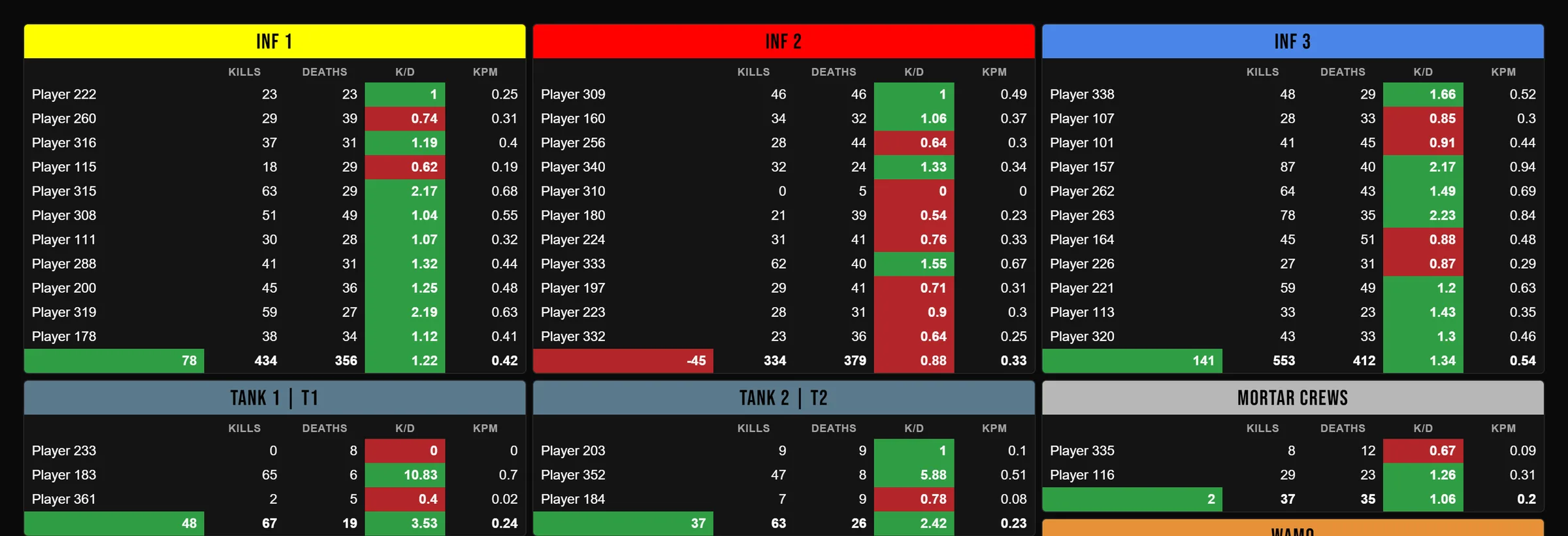
After the match, your clan styles its own scoreboard.
Rosterstats turns the stats file from your server into a board you lay out your way. You pick the squads, the layout, the colors and the fonts, then export an image for Discord. Save it and add your players to the team, and your matches start adding up.
Your stats and matches aren't public unless you share a link.
- Sign in with Discord or email
- Discord shares no email address
- Boards export as PNG
Rosterstats starts when the match ends.
It doesn't plan the match, so a clan or unit can use it beside whatever it plans with. It covers Hell Let Loose, Hell Let Loose: Vietnam and Wardogs.
Squad boards
Drag players into your squads and set the layout, colors and fonts. Export the board as an image for Discord in one click.
Match timelines
Add a match log and every kill gets a time: momentum, the kill feed, kill streaks and rivalries.
Team stats
Every match you save adds to your K/D and KPM over time, and shows how each type of squad performs. Add your players to the team to see each player's progression.
Watch the match swing, minute by minute.
A match log adds the kill-by-kill timeline. The momentum chart shows your kills above the line, deaths below and the running kill lead. Import from a link to the match on a CRCON stats page, or from a match file, and flags mark each time a point changed hands.
See how timelines work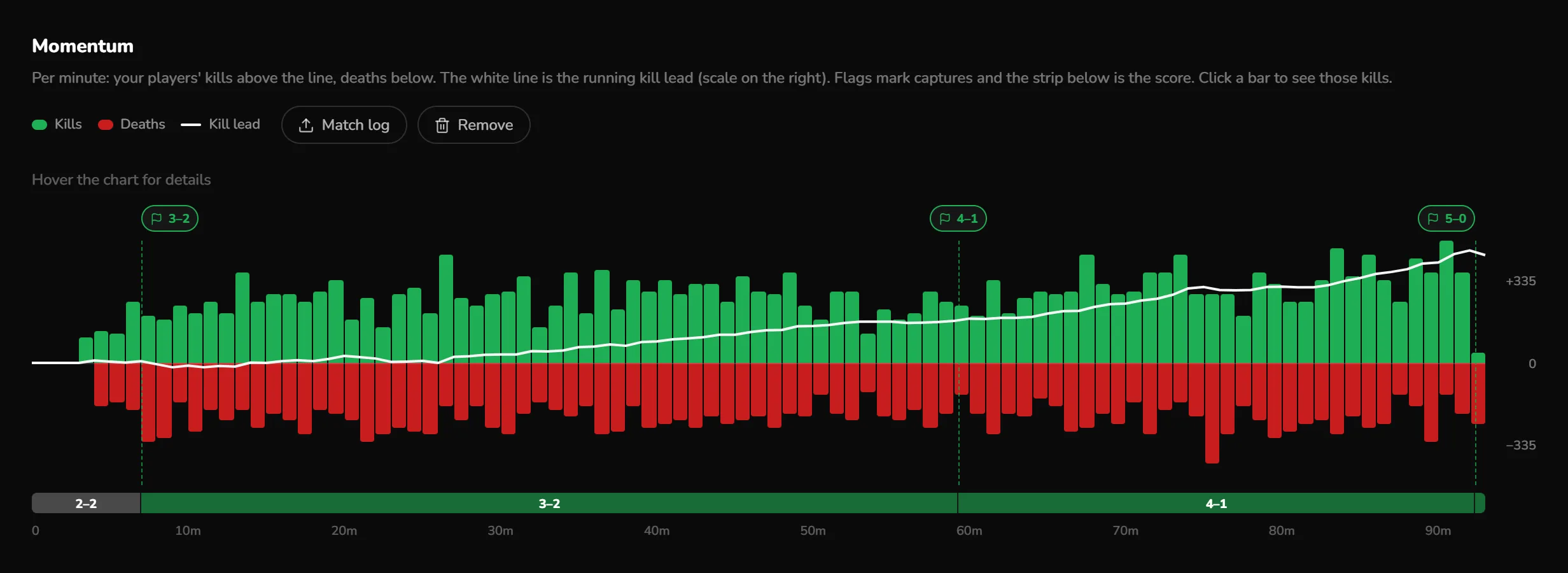
Saved matches add up for your own players.
Every match you save adds to your numbers: K/D and KPM over time, and how your infantry, armor and recon squads are doing. Add your players to the team and each one gets their progression, match by match. Players are matched by ID first, so a name change doesn't split their stats once they have an ID.
See how team stats work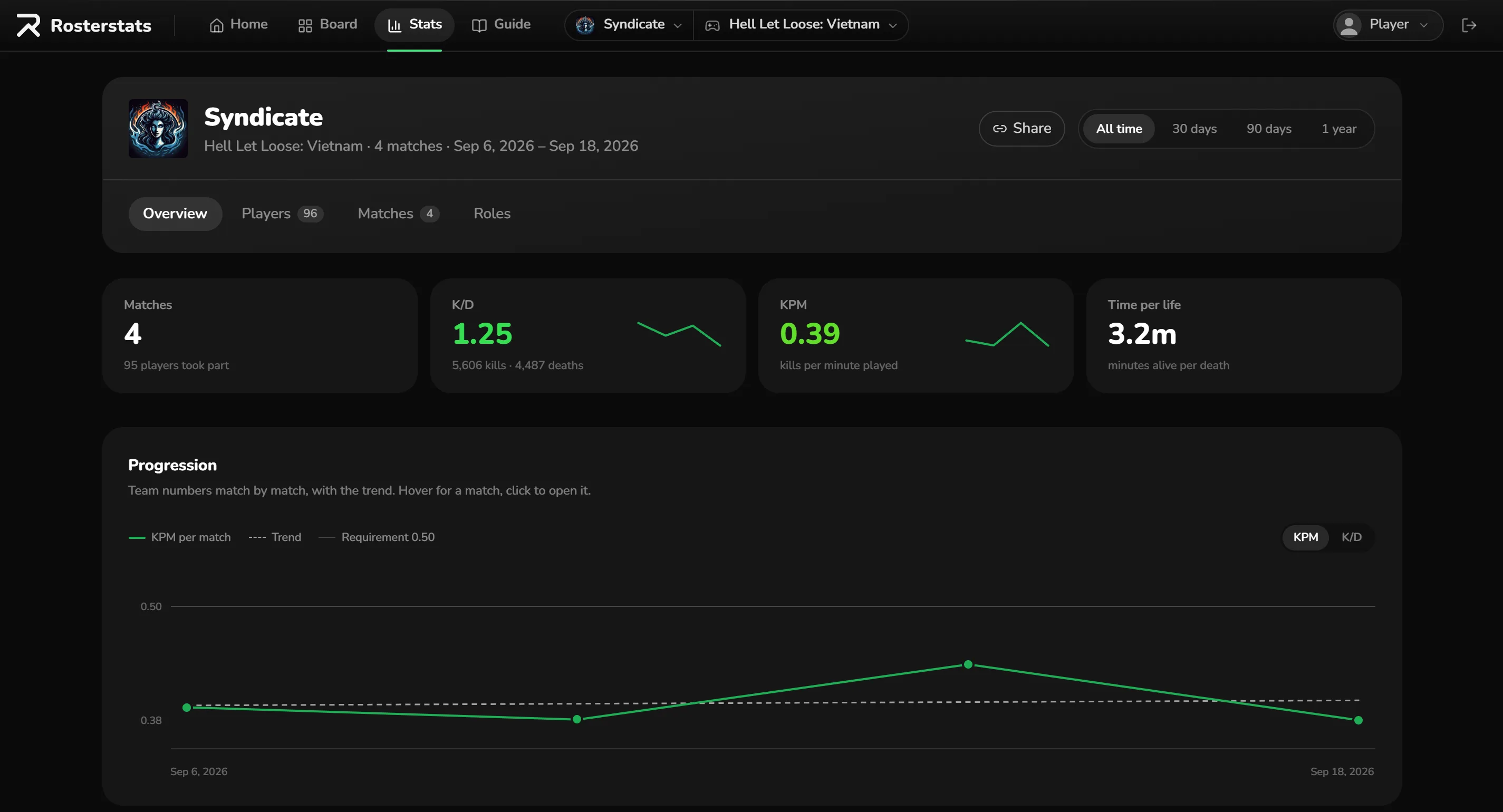
Request a team, import a match, lay out the board.
- 01
Request a team
Sign in and request a team for your clan. The site admin approves new teams by hand, usually within 24 hours.
- 02
Import a match
Three ways bring your players in: the stats file from your server, a link to the match on a CRCON stats page, or a match file. A link or a match file also brings the squads from the game. A match log adds the timeline.
- 03
Lay out the board
Drag players into your squads, style the board and export it as an image for Discord. Save the match and it adds to your stats.
Request a team for your clan.
Sign in with Discord or email and request a team. Once the site admin approves it, import your last match and lay out your first board.